State of knowledge

September 2025

ProCall Web 

ProCall Web offers various options for logging in.

Which variant is most suitable depends on the infrastructure, licences and desired access options.

Connection via the Internet using UCConnect

Requirements

  • Licences for Mobility Services

Advantages

  • Access anywhere and at any time, even outside the company network
  • Minimal configuration requirements for the customer
  • "All-round carefree", as everything is provided and maintained centrally.
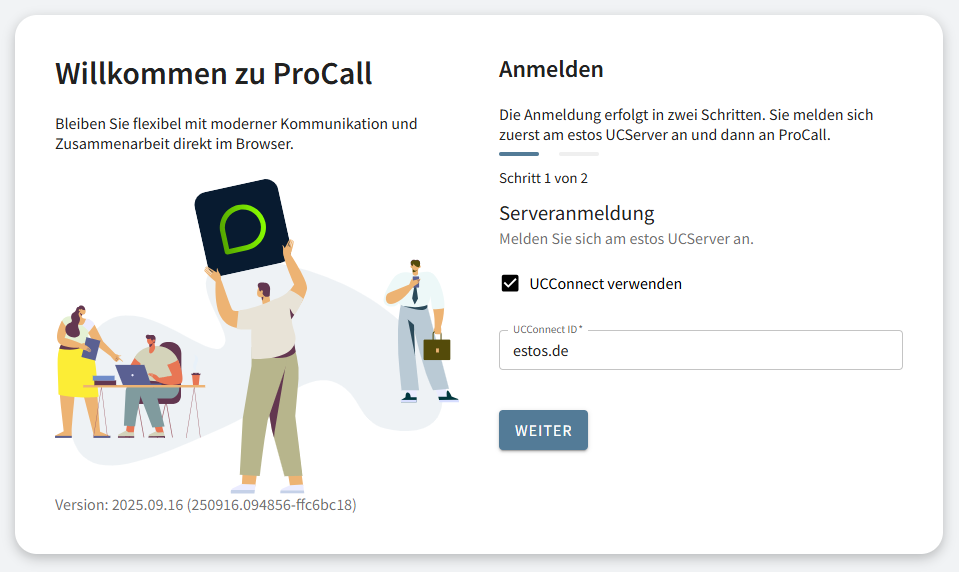
Example screenshot - Login mask ProCall - Step 1 of 2 - Server login - Use UCConnect - Enter UCConnect ID

Connection via web services URL - Intranet/VPN

Requirements

Advantages

Access also possible while travelling, provided VPN is set up.

URL format

https://UCServerName.Domäne.de

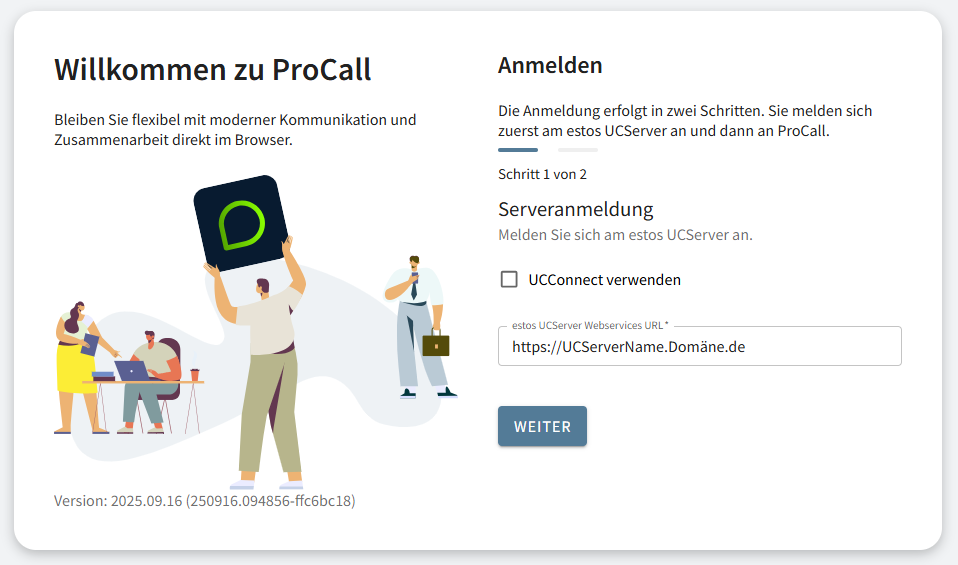
Example screenshot of ProCall login screen - Step 1 of 2 - Server login - Do not use UCConnect, but enter UCServer Webservices URL - Webservice URL

Connection via web services URL - UCServer published on the Internet

Requirements

Advantages

Access anywhere and at any time, even outside the company network

This variant offers full access anywhere and at any time, even outside the company network, but - unlike the connection via UCConnect - requires administrative configuration on the customer side.

URL format

https://UCServerName.Domäne.de 

Further information

ProCall App for Web

Login to ProCall

ProCall App for Web – installation instructions – setup