November 2025
ProCall 8 Enterprise
For incoming or outgoing calls, a foreign area code is placed before the actual phone number.
Example screenshot: ProCall call window shows an incoming call with an "incorrect" number
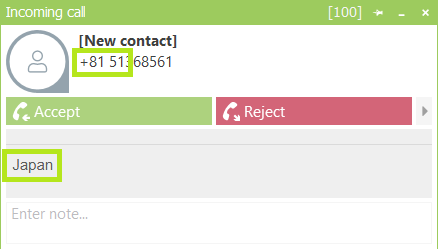
In this case, the number is transferred from the system with two zeros too many.
With a tool like "ephone.exe" the phone number would be displayed as follows: (e.g. 0089xxxx) or if an outside line is available (e.g. 00089xxxx).
This changes the number resolution and ProCall places an international prefix before the number. This can occur for both incoming and outgoing calls.
Procedure
So that a phone number can be found in the database, the superfluous zero – if reported by the TAPI driver – must be removed.
Instructions for ProCall Enterprise
Check in the location settings in the UCServer administration:
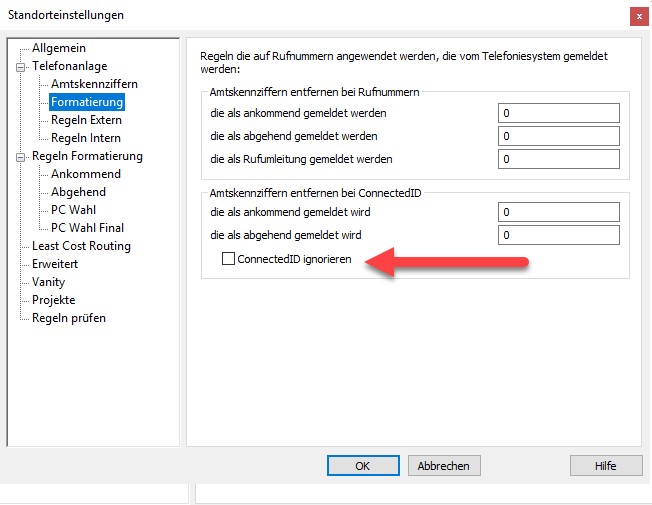
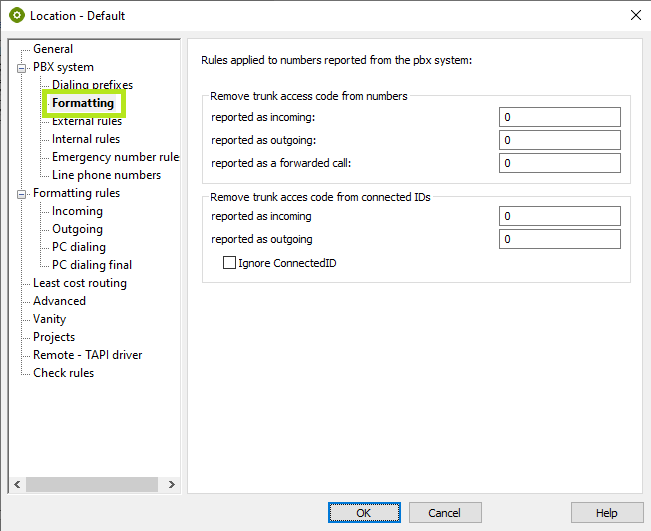
Telephony\Location\Button "Properties"\PBX\Formatting -> Remove incoming and outgoing trunk code(s) for phone numbers…
Enter another zero here.
If the error occurs as soon as a call is accepted, you have to enter the additional zero also at "Connected ID".
Instructions for ProCall One R2
Basic Settings\Location\Details
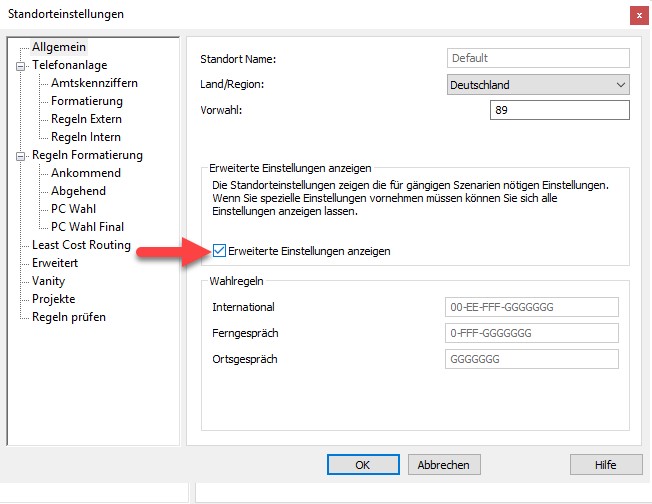
General → activate the item "Show advanced settings".
Example screenshot - General - Location settings - Show advanced settings
PBX\Formatting -> Remove trunk prefixes for phone numbers…
Enter another zero in addition to the existing zero – this will remove two zeros.
If the error occurs as soon as a call is accepted, you have to enter the additional zero also at "ConnectedID".