Improvements to performance and stability, in particular resolution of memory leaks in the backend system.
New features
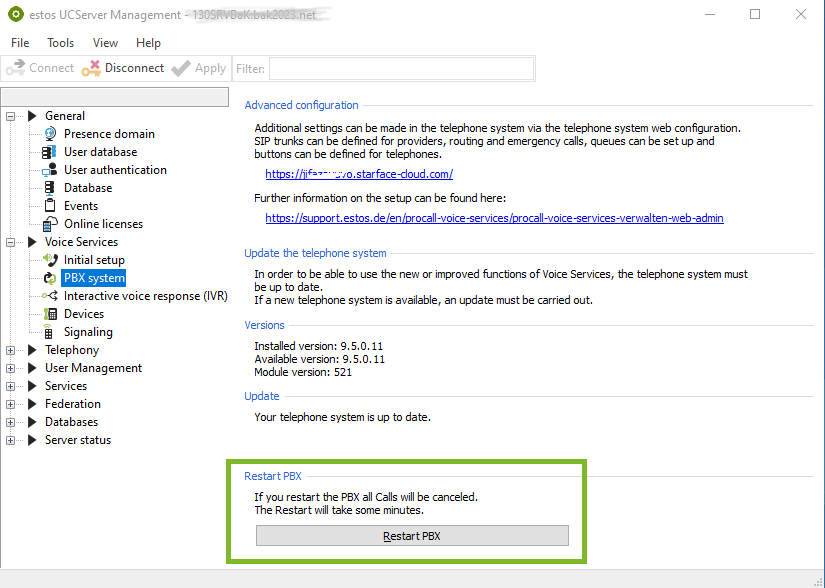
Restart the PBX now available
The telephone system can be restarted in ProCall NEX Server Administrator.
Example screenshot ProCall NEX Server Administration – Voice Services – PBX system – Restart PBX...
When the PBX is restarted, all ongoing calls will be terminated. The process may take several minutes.
Bug fixes/improvements
General
We have fixed an error in ProCall NEX Server Administration that affected the automatic update. In previous versions, the automatic update did not work, so a one-time manual installation of the current version is required. Starting with the next version, the automatic update will work as usual again. You can download the current version here: ProCall NEX downloads and instructions
ProCall Desktop for Windows
The issue where the most recently saved favourites were not loaded when starting the ProCall client has been resolved.
For calls received when ProCall Client is logged out, it has now been ensured that a contact search for the journal entries is performed in the locally integrated databases.
The ProCall client search in "external LDAP data sources" has been corrected. From now on, searches will once again be performed in the following LDAP attributes:telephoneNumber, otherTelephone, homephone, otherHomePhone, mobile, otherMobilePhone, telephoneAssistant.
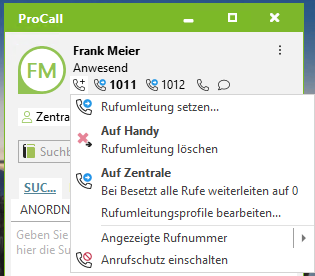
The call forwarding profiles that have been set up are displayed again. Active call forwarding can be deactivated directly.