State of knowledgeNovember 2026
Product Relevance

estos ProCall 8 Enterprise

ProCall Web (Preview)


In ProCall Web, you can provide data for error analysis. 

Procedure

Where can I enable the log files and make them available for error analysis?

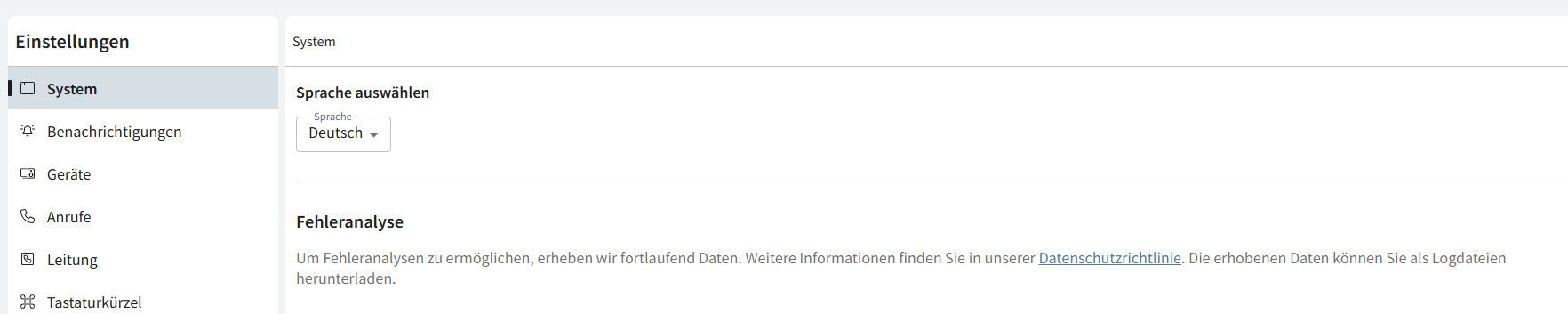
ProCall Web under Settings - System - Error Analysis 


Error analysis

To enable error analysis, we continuously collect data. For more information, please see our Privacy Policy.

 You can download the collected data as log files and make it available for analysis. 

Select Analysis Period

Below, you can see what information the log files contain based on the currently set log level.

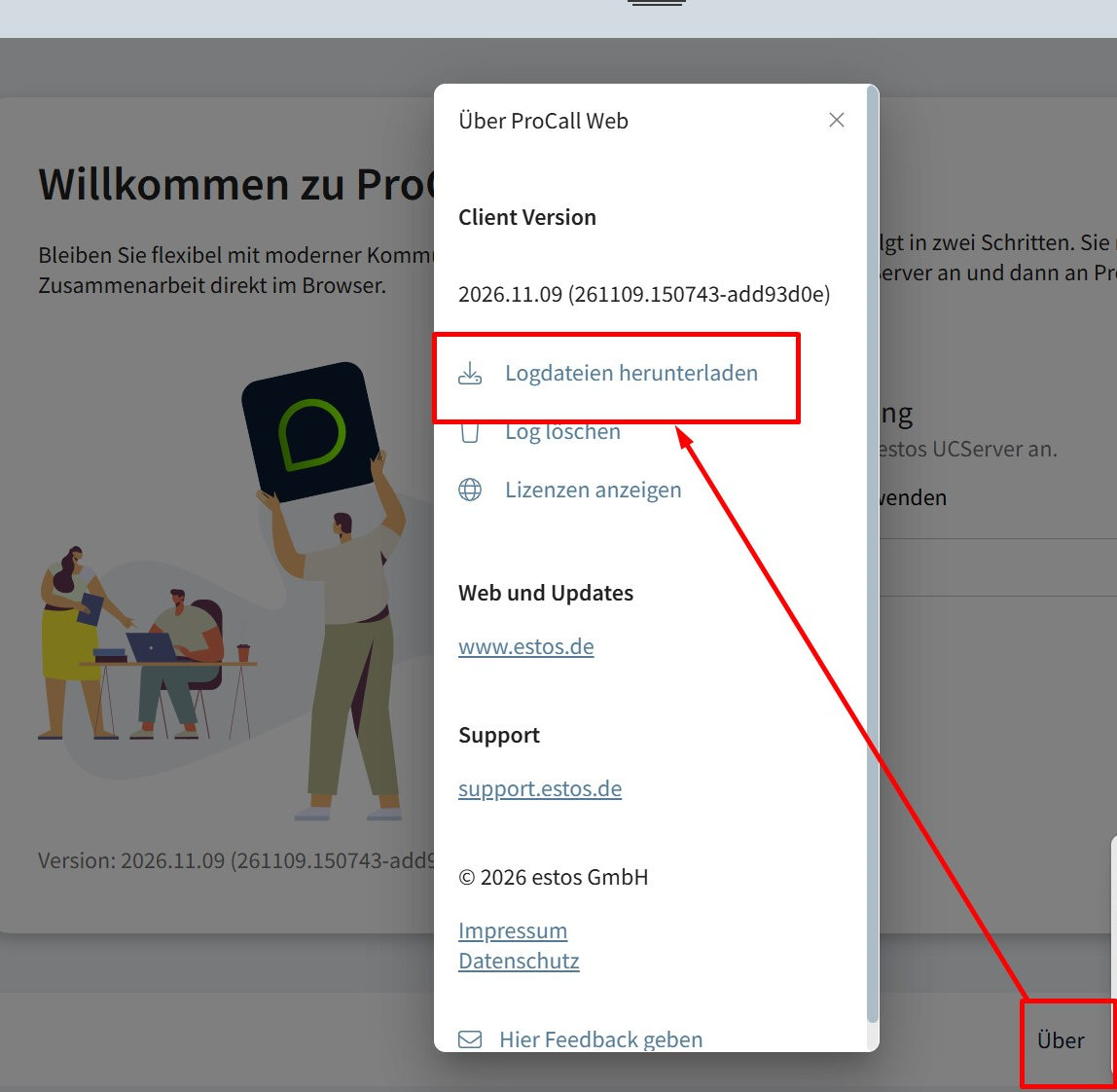
Download Log Files / Delete Logs

  • The client log can be cleared before running another error analysis so that exported log files contain only relevant entries.

Setting the Log Level

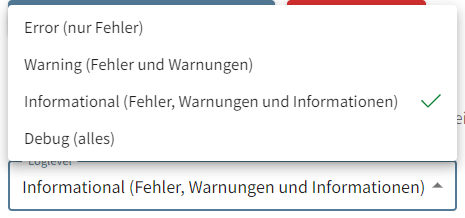
Here, you can specify what information the log files should contain in the future.

  • Error (errors only)
  • Warning (Errors and Warnings)
  • Informational (default setting)
  • Debug (All) 

Log files can only be analyzed if meaningful reference points are available. Therefore, always provide the following additional information:

    • When did the misconduct or unexpected behavior occur (timestamp with date and time, accurate to at least the nearest minute)?
    • Which internal extensions were involved?
    • Which external participants were involved?
    • The sequence of events in the workflow or phone call scenario that led to an error
Problems logging in: Can I download log files before logging in?

Even if you haven't logged in yet, you can use the "About" button at the bottom of the bar to enable the "Download Log Files" feature. 

Where can I find the log files? / Where are the log files stored? 

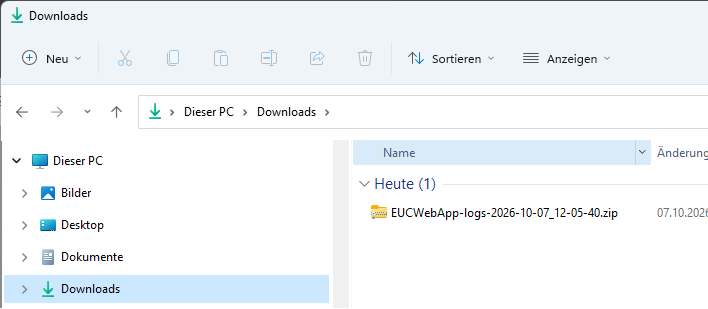
In the Downloads section

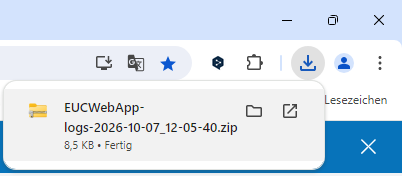
By default, the log files are saved as a .zip file in your Downloads folder. 

Sample screenshot: ProCall Web - Download log files - Download starts - .zip file is generated

Sample screenshot: ProCall Web - Download log files - Find the .zip file EUCWebApp-logs-DATE.zip in the downloads folder

Further Information