Unable to connect to UCConnect during server installation – error communicating with the server
State of knowledge
Oktober 2026
ProCall 8 UCServer MetaDirectory Server
Observation
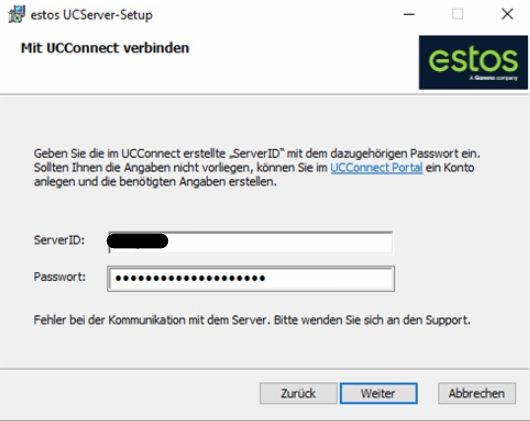
During the installation of ProCall Enterprise Server or MetaDirectory Server failsto connect to UCConnect . The error message “Error communicating with the server. Please contact support” is displayed.
Example screenshot of UCServer installation: Connect via UCConnect – enter ServerID and password – error message: “Error communicating with the server”
The file "%temp%\ucserver_install.log" created during installation logs the following message:
This implementation is not part of the Windows Platform FIPS validated cryptographic algorithms.
Possible cause
Security configuration in Windows: FIPS mode enabled
The modeFIPS (Federal Information Processing Standards) is enabled in the Microsoft Windows operating system and blocks certain algorithms.
Solution/Procedure
Open Use the keyboard shortcut Windows key + R to open the dialogue box and type insecpol.msc to launch the programme. Confirm by pressing Enter.
Navigate to: Local policies > Security options.
Look for the entry ‘System cryptography: Use FIPS-compliant algorithms for encryption, hashing and signing’.